
Asset Specifications
| File Formats | Layered PSD (Smart Objects), JPG Preview |
| Resolution | 3000 x 2000 px / 300 DPI Smart Object |
| Color Modes | RGB / CMYK 300 DPI |
| Layered / Smart Object | Yes (Smart Object Replacement) |
| Software Compatibility | Adobe Photoshop CS6+, Photoshop CC, Photopea |
| License | Free Commercial Use |
23,181
Views
12,968
Downloads
1,315
Likes
3.2 MB
Size
Free Commercial License
Archive: 3.2 MB
Free Download (Full ZIP Archive)
100% Free for commercial & personal presentation use
Zero attribution required (royalty-free)
High-resolution layered PSD with smart objects
About This Mockup
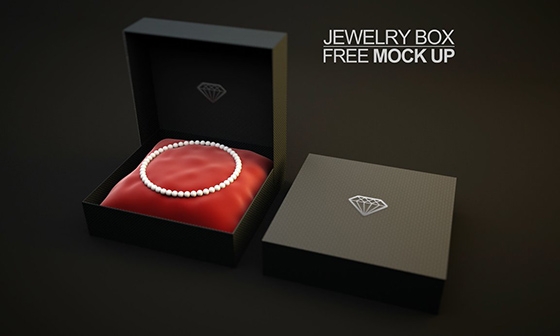
Present your brand artwork, client concepts, or portfolio items in realistic fidelity using this Jewelry Box Mockup template. Built from the ground up for modern designers, this PSD resource features precise perspective alignment, organic shadow rendering, and editable surfaces that adapt naturally to your creative assets.
Featuring full Smart Object integration in Adobe Photoshop and Photopea, swapping your graphics takes only a few clicks. The template preserves natural paper texture and ambient light gradients across your imported artwork, giving you publication-ready assets with zero fuss.
How To Use This Mockup
-
Open in Photoshop: Open the extracted
.psdfile in Adobe Photoshop or Photopea. - Replace Smart Object: Double-click the highlighted "Your Design Here" Smart Object layer.
- Save & Export: Paste your artwork, save the smart object tab (Ctrl+S / Cmd+S), and export your high-res render.